STEM kits for kids: robots, circuits and coding by age
Kids First Coding & Robotics for ages 4 to 8, Snap Circuits Jr. and Sphero Mini from 8, the Makeblock mBot2 for real programming and an Elegoo electronics kit for teenagers: what each one teaches, what it needs and what it costs.
Culturera may earn a commission if you buy through the links on this page. As an Amazon Associate I earn from qualifying purchases. The selection is ours alone.
At a glance
- Best for ages 4 to 8Thames & Kosmos Kids First Coding & Robotics, ages 4 to 8Amazon
- Best under $50Sphero Mini, ages 8+Amazon
- Best for learning to codeMakeblock mBot2Amazon
- Best for teenagersElegoo UNO R3 Super Starter Kit, teenagersAmazon
The STEM kit to buy for most children of 8 and up is Snap Circuits Jr., $52.99 at list price: it works out of the box, needs no screen and no soldering, and a child can build a working alarm or a flying fan in ten minutes. For a younger child, Kids First Coding & Robotics teaches the ideas of programming from age 4 with paper cards. And for a child who already asks how apps are made, the Makeblock mBot2 is a robot that starts with colored blocks and ends in Python. We have not tested these kits; we chose them from the makers' published specifications.
Prices are the makers' list prices on November 25, 2026, from their own stores. Amazon's prices move daily in gift season, so check the current price there. STEM stands for science, technology, engineering and mathematics; on a toy box it can mean anything from a serious electronics course to a robot-shaped remote-control car, which is why the questions below matter more than the label.
What should you check before buying a STEM kit?
What the child does when the model is finished. A kit that is only assembled once becomes a shelf ornament. The good ones give a second act: new circuits to try, new programs to write, new challenges in an app.
Screen or no screen. Circuit kits and card-coded robots need no tablet. Coding robots do: check that the family has a phone, tablet or laptop that runs the maker's app, and decide whether more screen time is what you want to give.
The real age. Makers print the youngest age that can manage with an adult nearby. A kit marked 8+ is usually comfortable alone at 9 or 10. For a reluctant builder, choose the simpler kit; for a child who already builds LEGO Technic, go up.
What it needs to run. Batteries are often not included, some robots charge by USB, and an electronics kit for teenagers needs a computer. A gift that cannot be switched on the morning it is opened loses half its effect.
1. Snap Circuits Jr. SC-100, ages 8+
Snap Circuits Jr. SC-100 ($52.99 on the maker Elenco's store; the Amazon listing, sold by Amazon.com, calls it the Explorer SC-100) is our first pick for most children: a plastic grid and color-coded electronic parts that snap together like buttons, with more than 100 projects in the manual, from a light switch to a doorbell and a fan that launches into the air. There is nothing to solder and nothing to program, and every project teaches one idea about how a circuit works.
Who it's for: a curious child of 8 to 12 who likes to follow a plan and see a result fast, and families who want a kit without a screen. Keep in mind: Snap Circuits Jr. needs batteries that are not in the box and the projects are recipes more than inventions until the child starts to vary them.
Which one is for you?
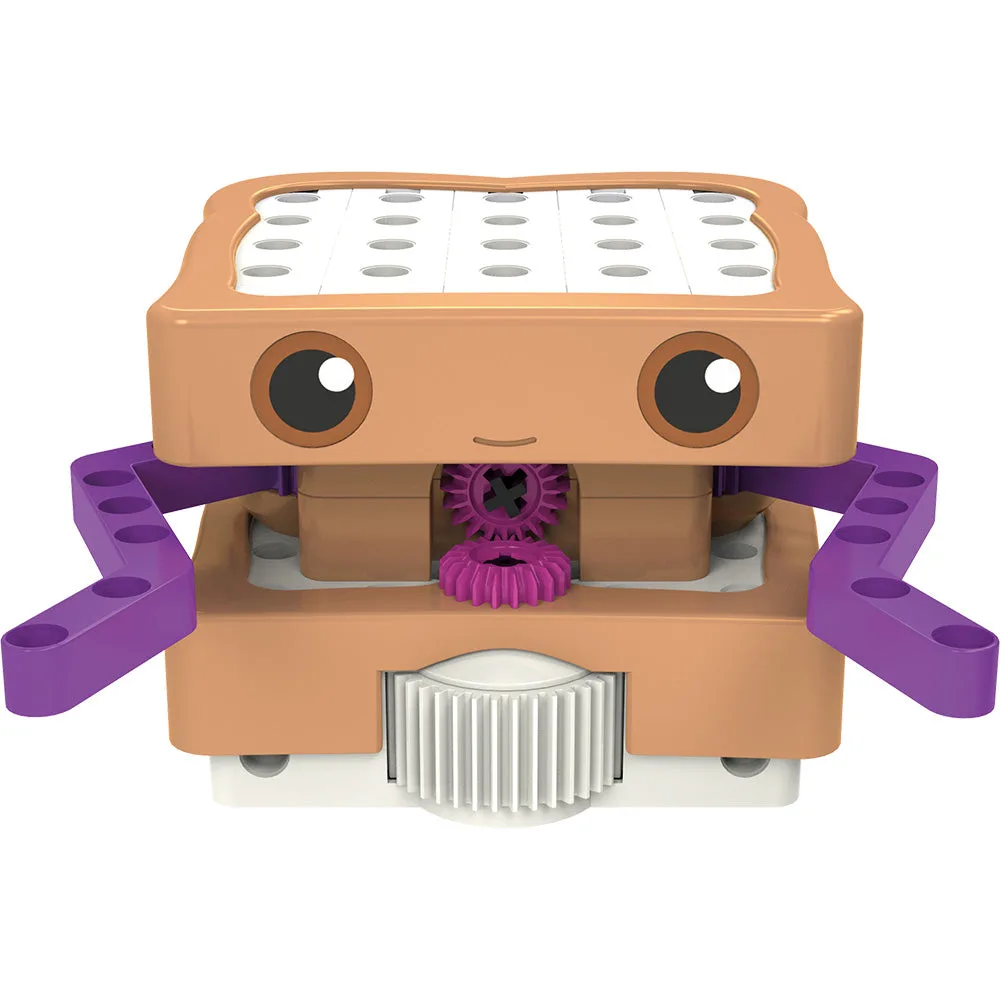
Best for ages 4 to 8
2. Thames & Kosmos Kids First Coding & Robotics, ages 4 to 8
Best for: A first idea of programming without a tablet
A robot shaped like a sandwich that reads paper code cards as it drives over them.
See it at AmazonCheck the current price at the store.
Thames & Kosmos Kids First Coding & Robotics ($139.95 on the maker's store) is built for kindergarten to second grade. The child lays physical code cards in a row and the robot, a peanut butter and jelly sandwich called Sammy, reads them with an optical scanner as it rolls over them: forward, turn, repeat, make a sound. The box lists 30 coding lessons, and the robot is rebuilt into other models with the kit's large plastic pieces. No tablet or app is required.
Who it's for: a child of 4 to 8 who is too young for block coding on a screen, and parents or grandparents who will sit on the floor for the first sessions. Keep in mind: Kids First Coding & Robotics is the most expensive kit in this guide after the mBot2, it needs an adult for the first lessons, and a quick 8-year-old will outgrow it within months.
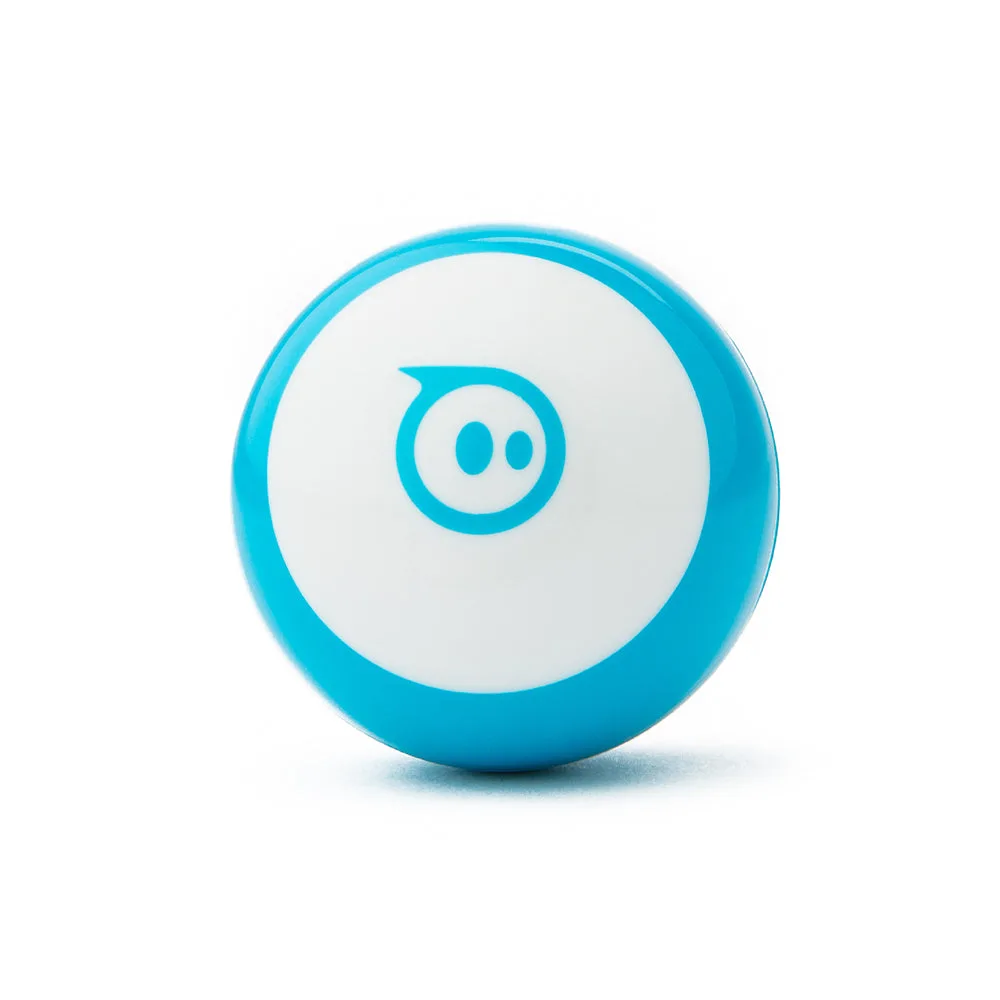
Best under $50
3. Sphero Mini, ages 8+
Best for: A small gift that is a toy first and a coding tool second
A robot ball the size of a ping-pong ball, driven and programmed from a phone, for $50.
See it at AmazonCheck the current price at the store.
The Sphero Mini ($50 on sphero.com) is a motorized ball driven from a phone or tablet. In the free Sphero Edu app a child programs it in three steps of difficulty: drawing a path with a finger, stacking colored blocks, and writing JavaScript text. A second app has driving games. The Amazon listing we link is sold by Sphero.
Who it's for: children of 8 and up who would not open a kit that looks like homework, and classrooms and cousins who will race them. Keep in mind: the Sphero Mini is all software: without a phone or tablet it does nothing, and there is no building involved.
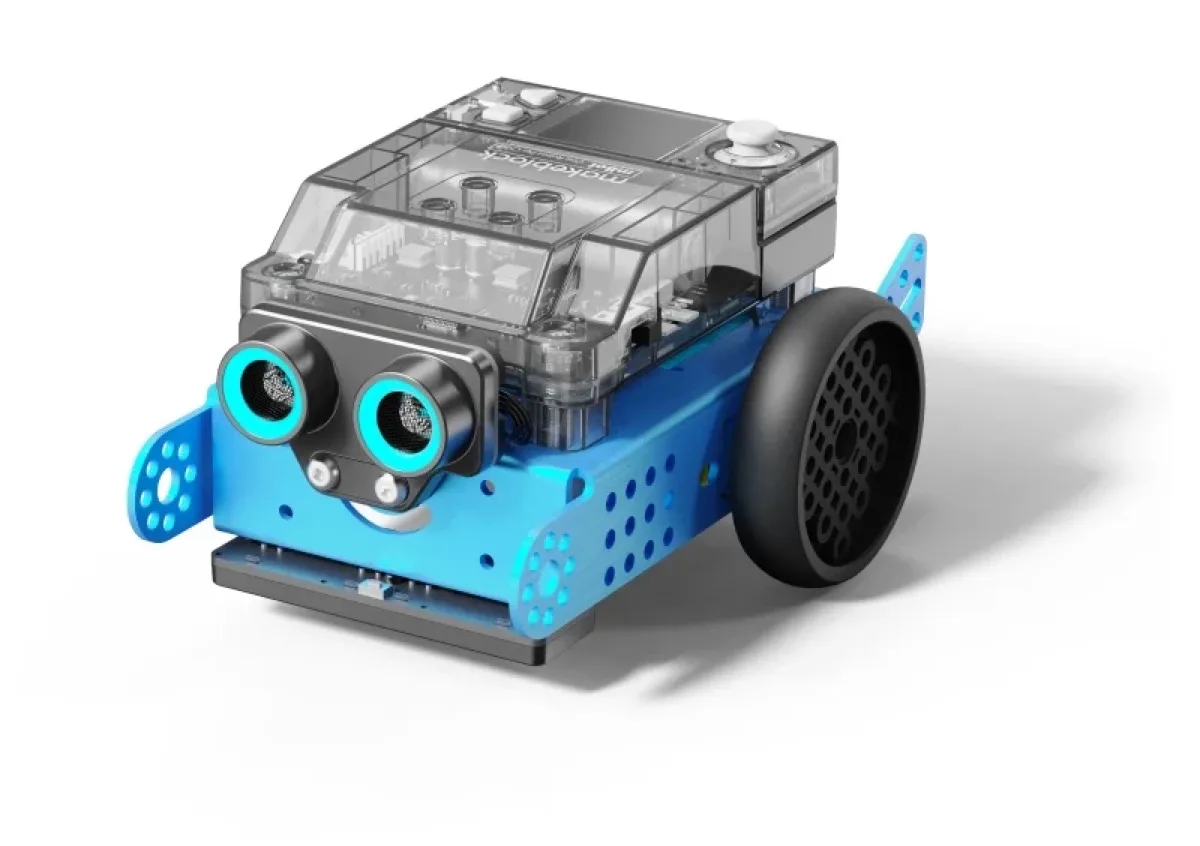
Best for learning to code
4. Makeblock mBot2
Best for: Children of 8 to 14 who want to program a real robot
A metal robot car you build, then program with blocks or Python over Bluetooth or Wi-Fi.
See it at AmazonCheck the current price at the store.
The Makeblock mBot2 ($149.99 this week on Makeblock's store) is a robot sold to schools as well as families. The child builds the car from metal parts, then programs it in Makeblock's software, starting with drag-and-drop blocks in the style of Scratch and moving on to Python. Makeblock lists Bluetooth and Wi-Fi, sensors for following lines, avoiding obstacles and recognizing voice commands, and add-on packs that turn the car into other robots. The Amazon listing we link is sold by Makeblock.
Who it's for: a child who has finished the games in a coding app and wants the program to move something real, and families with a laptop or tablet to share. Keep in mind: the Makeblock mBot2 asks for patience: the build is simple, but the software has a learning curve, and a child under 10 will need an adult for the first projects.
Best for teenagers
5. Elegoo UNO R3 Super Starter Kit, teenagers
Best for: Ages 12 and up who want real electronics and real code
A programmable board, a breadboard and dozens of sensors, motors and LEDs with a tutorial, for $42.99.
See it at AmazonCheck the current price at the store.
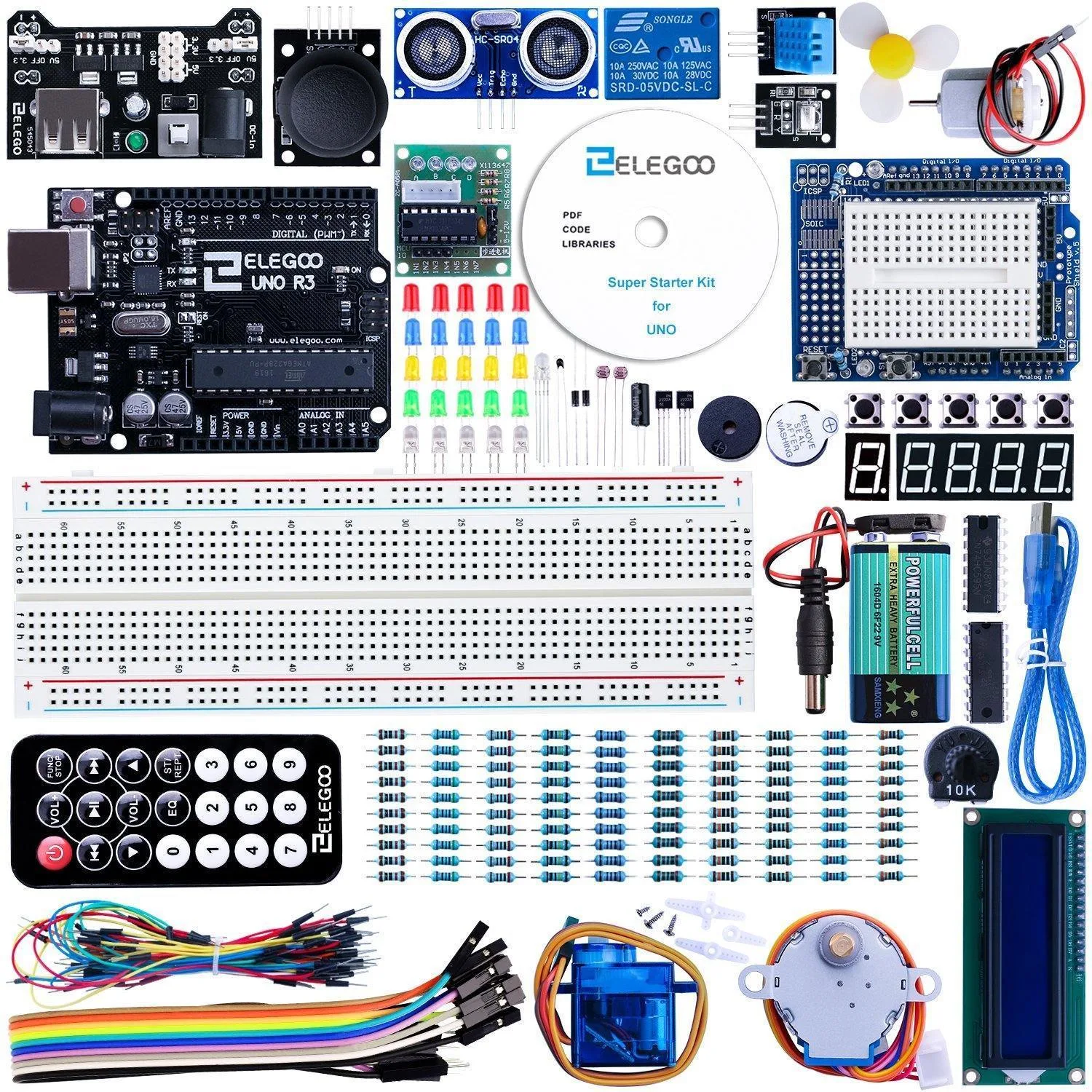
The Elegoo UNO R3 Super Starter Kit ($42.99 on Elegoo's store) is not a toy: it is the same kind of kit used in a first electronics course. It contains a controller board compatible with the free Arduino software, a breadboard for building circuits without solder, and a box of components (LEDs, buttons, a motor, a small display, sensors and a remote control), with a PDF tutorial that goes lesson by lesson. The code is typed on a computer in a simplified form of C++. The Amazon listing we link is sold by Elegoo's official US store.
Who it's for: a teenager who has outgrown block coding, and adults who want to learn alongside. Keep in mind: the Elegoo UNO R3 Super Starter Kit needs a computer with a USB port, its tutorial is in English, the parts are small and loose, and nothing in it is pre-built: the reward comes after reading.
What about crystal and chemistry kits?
They are the other half of STEM, and the cheapest way to find out if a child likes experiments. The National Geographic Mega Crystal Growing Kit, sold by Amazon.com, grows eight crystals over several days and is marked for ages 8 to 12. Kits like it need hot water and patience, so plan to do them together, and read the safety sheet before starting: crystal powders are not for children who still put things in their mouths.
Robot, circuits or coding: which to choose?
Choose by what the child already does. A child who takes things apart wants circuits: Snap Circuits Jr., then the Elegoo kit in a few years. A child who plays strategy and building games on a screen wants code: the Sphero Mini for a taste, the Makeblock mBot2 for the full course. A child who builds with bricks for hours is ready for a robot to assemble. And a child of 4 to 7 needs a kit made for that age, such as Kids First Coding & Robotics, not a simpler version of an older child's kit.
How do you keep a STEM kit from ending up in a closet?
Open it together on the first day and get one project working before bedtime. Put the batteries in the box before wrapping it. Set a small challenge each weekend: make the robot draw a square, build an alarm for the bedroom door. And keep the parts in their tray, because a kit with three missing pieces is a kit nobody opens again.
Which STEM kit fits each age and budget?
Ages 4 to 8, $139.95: Thames & Kosmos Kids First Coding & Robotics, coding with paper cards and no screen.
Ages 8+, $50: Sphero Mini, a robot ball programmed from a phone.
Ages 8+, $52.99: Snap Circuits Jr. SC-100, more than 100 electronics projects with no screen.
Ages 8 to 14, $149.99: Makeblock mBot2, a robot car programmed with blocks or Python.
Ages 12+, $42.99: Elegoo UNO R3 Super Starter Kit, real electronics on a computer.
Before you order
Check the app first: search the maker's app in your phone's store and confirm it runs on your device. Buy batteries with the kit. Look at who sells the listing, since popular kits attract resellers with higher prices. If the child likes to look up as much as to build, our guide to a first telescope covers the next step, and for builders who prefer bricks there is LEGO for adults for the older ones in the family.
How to get it right
For most children of 8 and up, Snap Circuits Jr.; for ages 4 to 8, Kids First Coding & Robotics; for a small gift, the Sphero Mini; for a child ready to program, the Makeblock mBot2; and for a teenager, the Elegoo UNO R3 Super Starter Kit.