Which walking pad to buy for walking at your desk
WalkingPad Z1 and C2, UREVO SpaceWalk Air and CyberPad for Office compared: what a walking pad is good for, how much weight and speed you need, which ones fold, and the brand regulators told owners to stop using.
Culturera may earn a commission if you buy through the links on this page. As an Amazon Associate I earn from qualifying purchases. The selection is ours alone.
At a glance
- Best overallWalkingPad Z1 Folding Under Desk TreadmillAmazon
- Best with inclineUREVO CyberPad for OfficeAmazon
- Best budgetUREVO SpaceWalk AirAmazon
The walking pad to buy for most homes is the WalkingPad Z1, $329 list on WalkingPad's site ($299 there this week): it walks from 1 to 4 mph, carries up to 242 pounds and folds in half to slide under a bed or sofa. If you want a pad that stays under a standing desk and adds a hill, the UREVO CyberPad for Office carries 400 pounds and tilts up to 14 percent. And on a tight budget, the UREVO SpaceWalk Air costs $149.99. We have not tested these walking pads; we chose them from the makers' published specifications.
Prices are from the makers' own stores on November 25, 2026, the week of Black Friday, when walking pads are heavily discounted; the 'regular' prices those stores show next to the sale price are not always reliable, so check the current price on Amazon before you decide.
What is a walking pad good for?
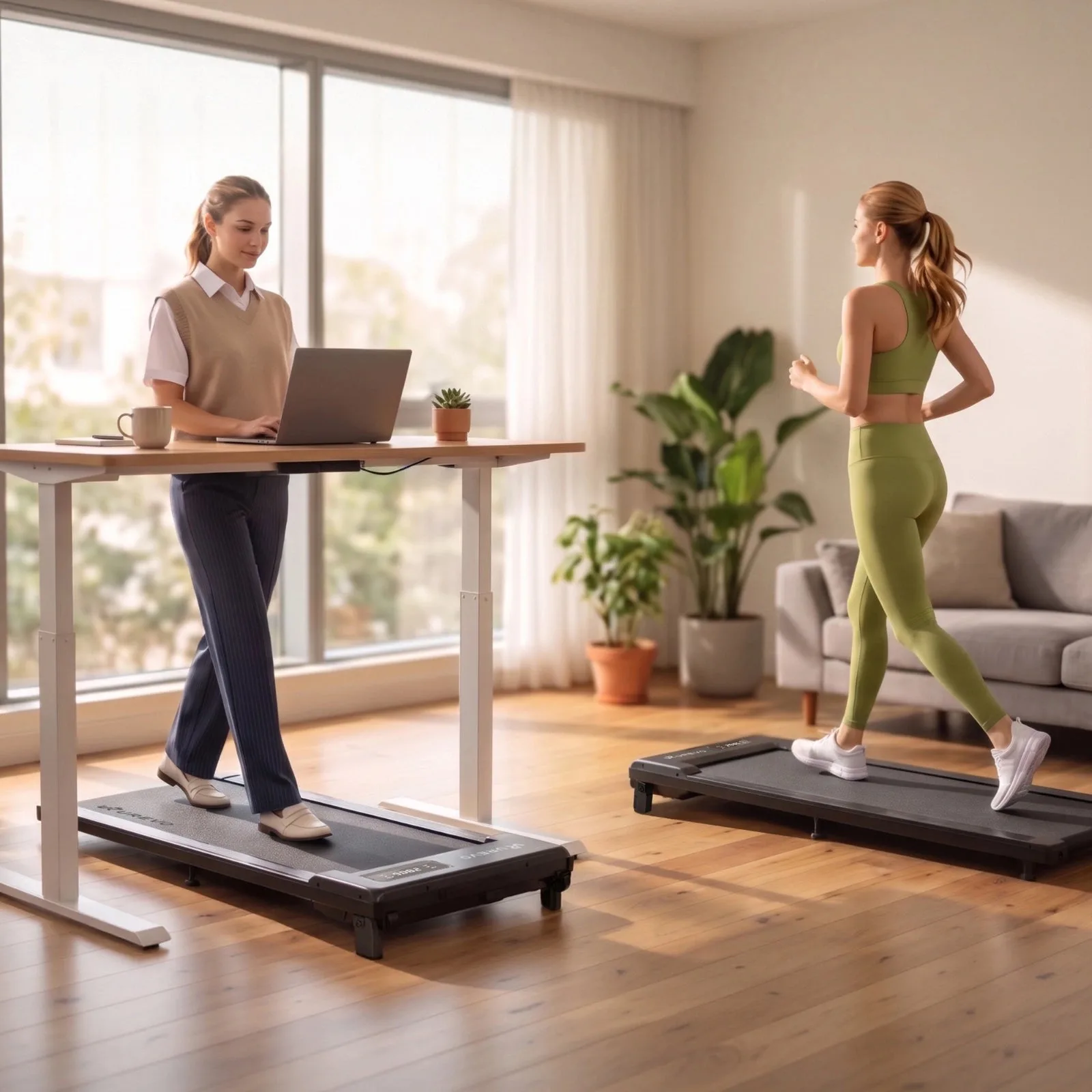
A walking pad is a flat, low treadmill without arms or a tall console, made for walking rather than running. Most go up to about 4 mph, a brisk walk, and are controlled with a small remote or an app. Their purpose is quantity, not intensity: an hour of slow walking while answering email adds thousands of steps to a day spent sitting. They suit people who work at home, who cannot walk outside in winter, or who simply want to move more without going to a gym. They do not replace a real treadmill for running.
What should you check before buying a walking pad?
Weight capacity. Choose a pad rated comfortably above your weight. Budget pads are often rated for about 220 pounds; sturdier ones go to 350 or 400.
Belt size. Most decks are about 15 to 17 inches wide and 35 to 48 inches long. Tall people and those with a long stride should look for the longer decks; a short belt makes you shorten your step.
Speed and incline. For walking at a desk, 1.5 to 2.5 mph is typical, so a 4 mph maximum is plenty. Incline makes slow walking harder work without speeding up, which is useful if you want exercise and not just steps.
Folding and storage. Some pads fold in half; others are flat slabs you slide under a bed or sofa or stand on end. Measure the gap under your furniture.
Noise and floor. Every pad makes some noise, and makers' decibel figures are measured in ideal conditions. A rubber mat under the pad reduces vibration through the floor, which matters in apartments.
Which walking pads should you avoid?
On April 16, 2026, the U.S. Consumer Product Safety Commission told consumers to stop using Sperax walking pads and treadmills immediately and dispose of them, citing fall, burn and fire hazards. The warning names the Pro, Q1, RM-01 and RM-02 models, sold online on sites including Amazon, and counts 201 reports of uncontrollable speed, abrupt stops and similar failures, with at least 66 falls or injuries, and 573 reports of overheating, fires and other thermal incidents. The CPSC says Sperax refused to agree to an acceptable recall. If you own one, stop using it. More generally, buy from a brand that publishes its specifications, offers a warranty and sells spare parts, and be wary of unbranded pads with prices far below the rest.
Which one is for you?
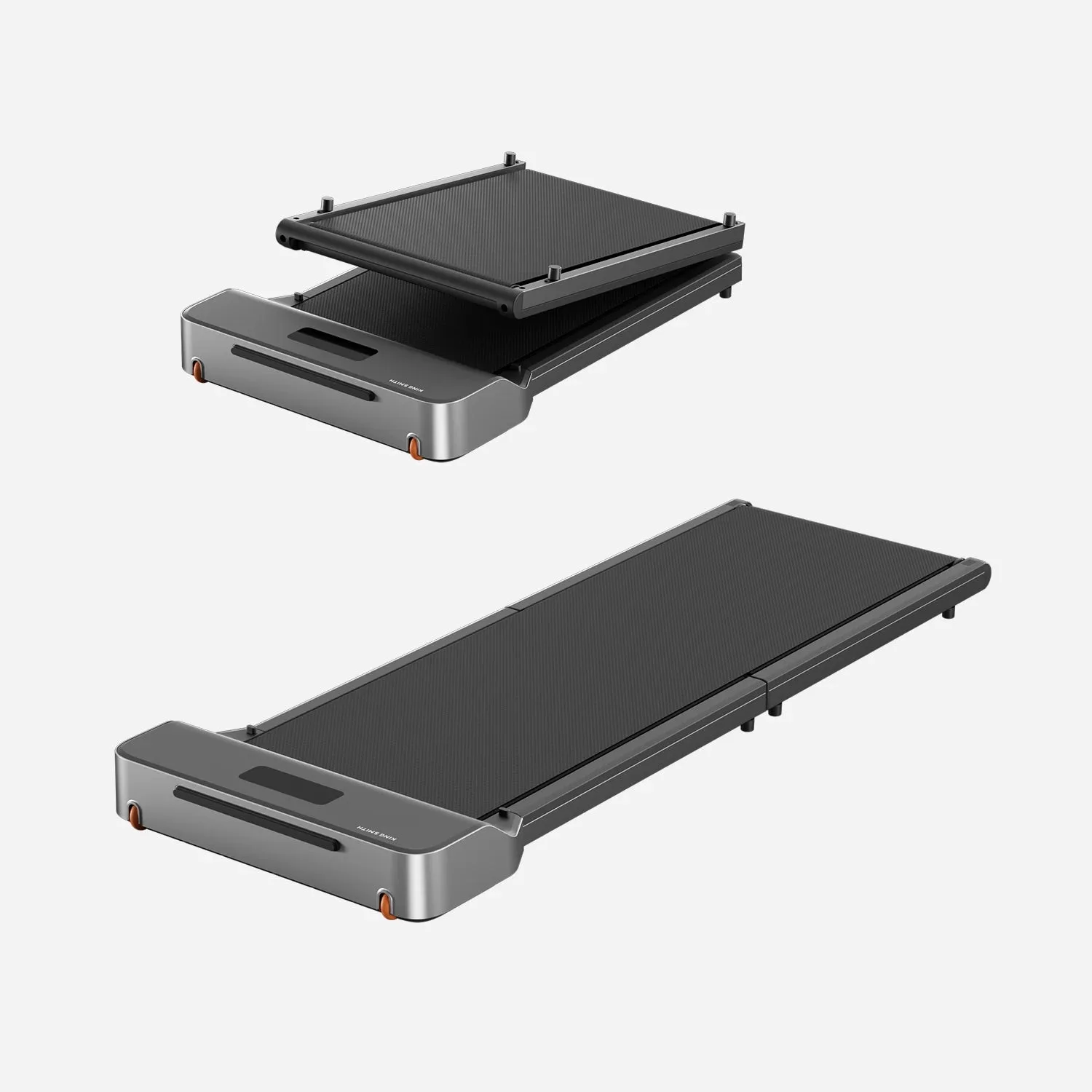
Best overall
1. WalkingPad Z1 Folding Under Desk Treadmill
Best for: Small homes where the pad must disappear after use
Walks from 1 to 4 mph, carries 242 pounds and folds in half to slide under a bed or sofa.
See it at AmazonCheck the current price at the store.
The WalkingPad Z1 ($329 list, $299 on walkingpad.com this week) is the pad that takes the least room when you are not using it. WalkingPad lists a 2.25 HP brushless motor, speeds of 1 to 4 mph, a 242-pound maximum user weight, a 47.6 by 15.7-inch walking area, cushioning it calls SoftStep and a handheld remote. The deck folds in half for storage. The Amazon listing we link is sold by Kingsmith WalkingPad, the maker.
Who it's for: people in apartments who walk at a desk or in front of the TV and need the floor back afterwards. Keep in mind: the WalkingPad Z1 has no incline, and folding and unfolding a pad of this size every day is a small chore; if it can stay out under a desk, a non-folding pad is simpler.
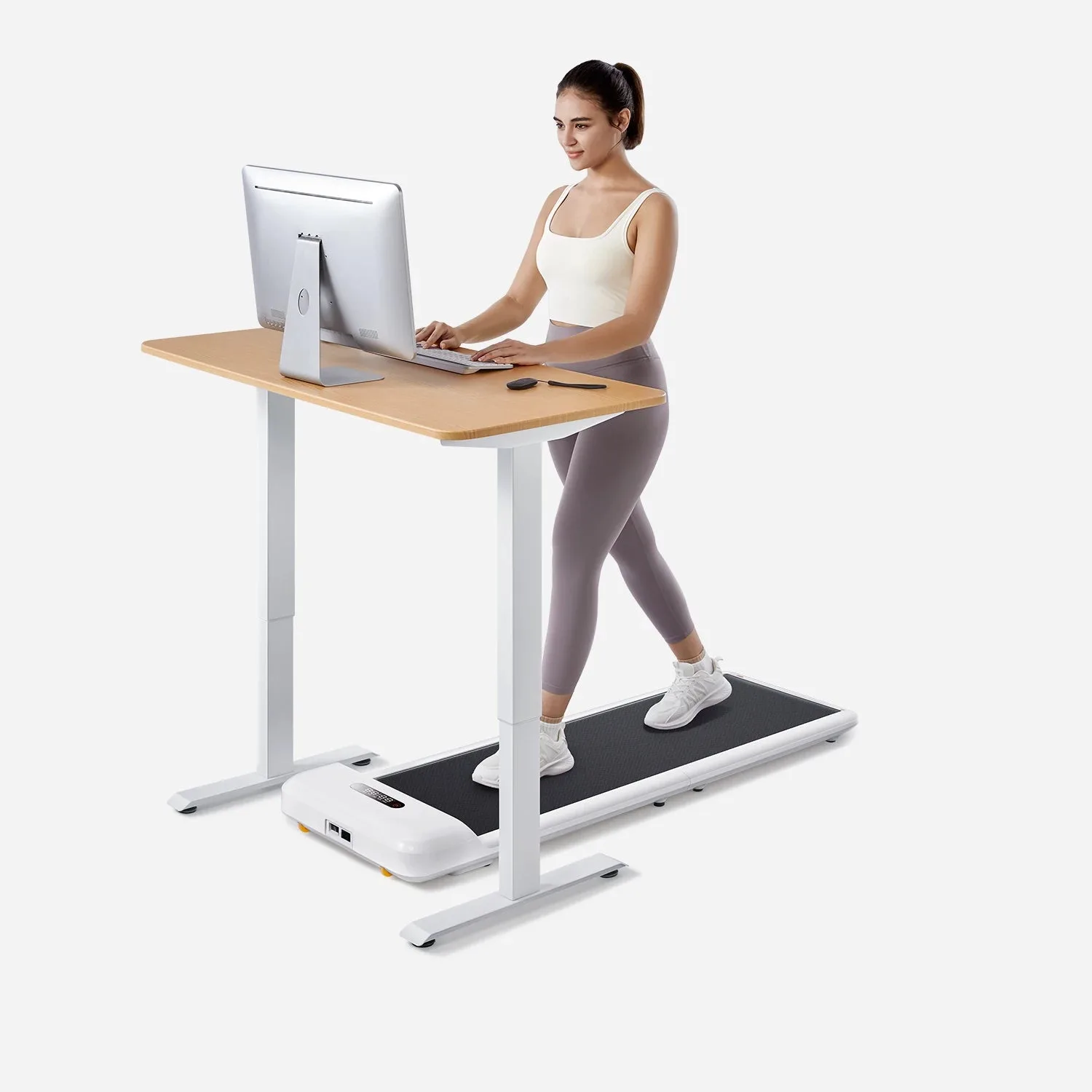
2. WalkingPad C2 Foldable Walking Treadmill
Best for: People who want app tracking and a choice of colors
A folding pad with a 3 HP brushless motor, a remote, Bluetooth and the maker's app, in five colors.
See it at AmazonCheck the current price at the store.
The WalkingPad C2 ($399 on walkingpad.com this week) is the same idea as the Z1 with more features. WalkingPad lists a 3 HP brushless motor, 1 to 4 mph, a 220-pound maximum user weight, a 47.2 by 15.7-inch walking area, a remote, Bluetooth, the free KS Fit app for logging walks and following programs, and a one-year warranty. It folds for storage and comes in white, black, blue, red and yellow. The Amazon listing we link is sold by Kingsmith WalkingPad.
Who it's for: people who like to track walks in an app, or want a pad that matches the room. Keep in mind: the WalkingPad C2 is rated for less weight than the cheaper Z1, and the app features are the main reason to pay more.
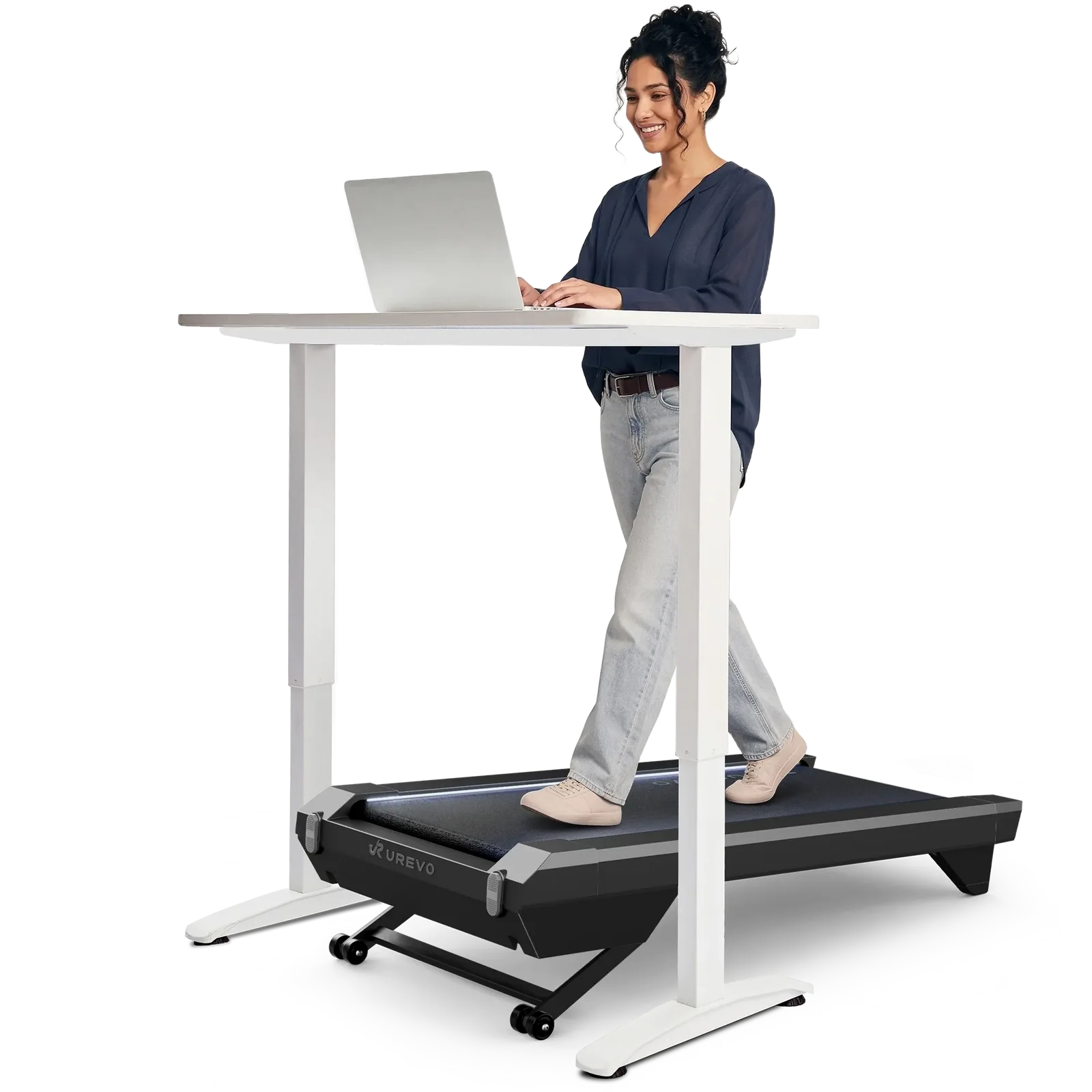
Best with incline
3. UREVO CyberPad for Office
Best for: A standing desk setup, heavier users and walking as real exercise
Carries 400 pounds, tilts automatically up to 14 percent and walks from 0.6 to 4 mph.
See it at AmazonCheck the current price at the store.
The UREVO CyberPad for Office ($369.99 in silver and $379.99 in black on urevo.com this week) is built to live under a standing desk. UREVO lists a 2.5 HP brushless motor, 0.6 to 4 mph, automatic incline from 0 to 14 percent, a 400-pound maximum load, a 39.4 by 16.5-inch running area and a weight of 63.1 pounds; it does not fold. UREVO claims 35 dB in operation, a figure measured in ideal conditions.
Who it's for: people who want walking to count as exercise without walking faster, and anyone above the 220 to 242-pound limits of lighter pads. Keep in mind: the UREVO CyberPad for Office is heavy and does not fold, so it needs a permanent spot, and its deck is shorter than the WalkingPads'. Amazon sells more than one CyberPad, so check that the listing says 'for Office'.
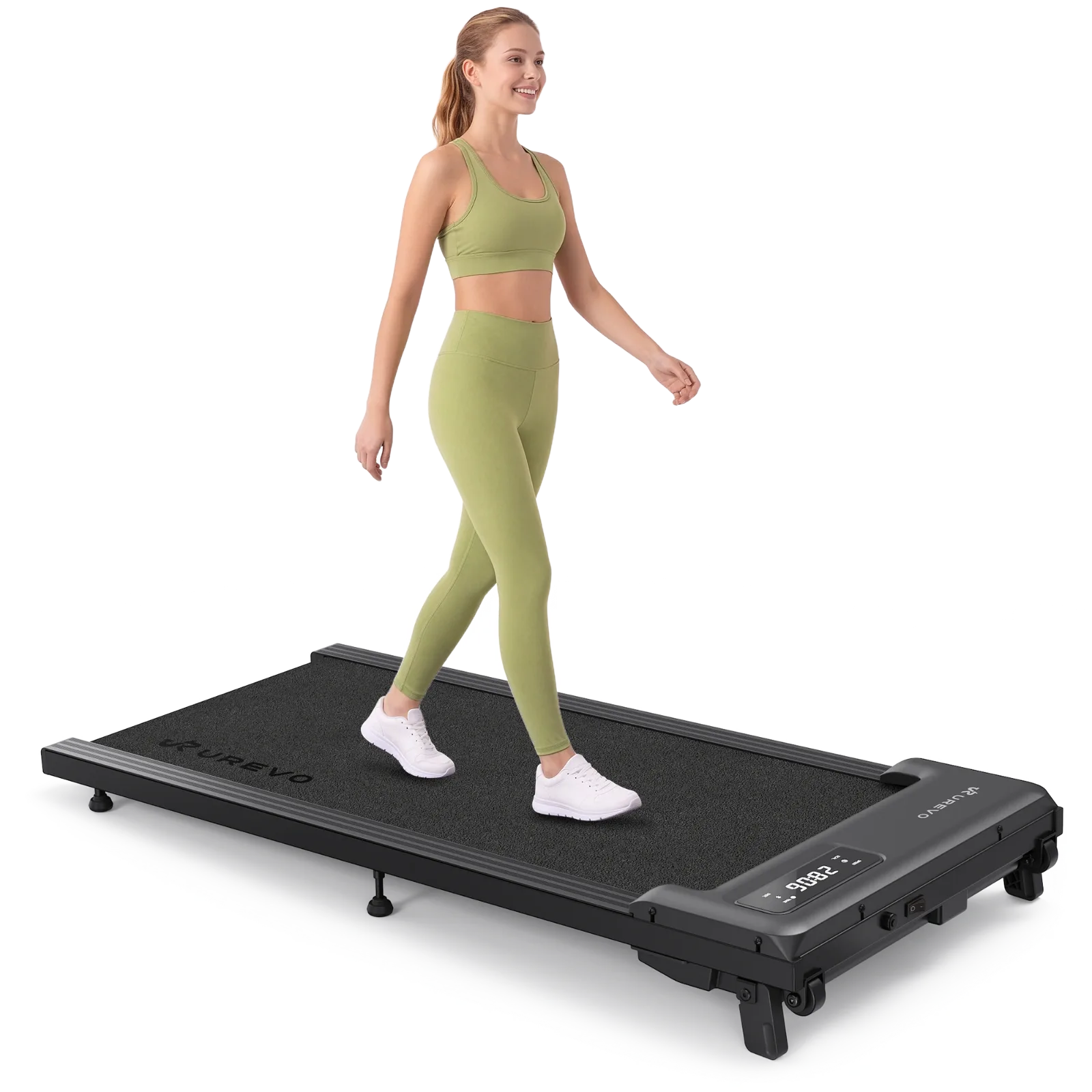
Best budget
4. UREVO SpaceWalk Air
Best for: Slow walking at a desk on a small budget
A light, 3.6-inch-high pad with a 6 percent incline, for $149.99.
See it at AmazonCheck the current price at the store.
The UREVO SpaceWalk Air ($149.99 on urevo.com this week) is the cheapest pad here from a brand that publishes full specifications. UREVO lists a 2.25 HP brushless motor, 0.6 to 3.1 mph, a 6 percent incline, a 220-pound maximum load, a 35.4 by 15-inch running area, a height of 3.6 inches and a weight of 35.3 pounds, light enough to move and slide under a sofa.
Who it's for: someone who wants to try walking at a desk before spending more. Keep in mind: the UREVO SpaceWalk Air tops out at 3.1 mph and has the shortest deck in this guide, so tall walkers may find their stride cramped.
How fast should you walk at a desk?
Slower than you think. Typing and reading are possible at about 1 to 2 mph; above that, most people can still talk on a call but not write well. Start with 20 to 30 minutes at a time, a couple of times a day, and wear proper shoes rather than socks or slippers. Raise the desk so that your elbows stay at about 90 degrees while you walk, and keep the screen at eye level. If you want exercise rather than steps, add incline or a separate brisk walk at the end of the day instead of trying to type at 3.5 mph.
How do you look after a walking pad?
Follow the maker's schedule for lubricating the belt, usually every few months with the silicone oil some makers include, and check that the belt stays centered; most manuals explain how to adjust it with a hex key. Keep the pad on a hard, level surface or a firm mat rather than thick carpet, unplug it when not in use, and keep children and pets away while it runs. Read the maximum continuous running time in the manual: many pads are designed for walking sessions with breaks, not eight hours nonstop.
Which walking pad fits your budget?
UREVO SpaceWalk Air, $149.99: the cheapest way to start walking at a desk.
WalkingPad Z1, $329 list: folds in half for small homes.
UREVO CyberPad for Office, $369.99 to $379.99: incline and a 400-pound rating, stays under the desk.
WalkingPad C2, $399: a folding pad with app and colors.
How to get it right
For most homes, the WalkingPad Z1, which folds away after use; for a permanent standing-desk setup or heavier users, the UREVO CyberPad for Office; for app tracking and colors, the WalkingPad C2; and on a budget, the UREVO SpaceWalk Air. If you are starting a fitness routine for the new year, a walking pad is the easiest habit to keep, because it asks for nothing but time you were already spending at a desk.